Kayla Dean – Website Copy Compendium
Original price was: $697.00.$30.00Current price is: $30.00.
| Delivery: | |
| Download Link: | Hot & Fresh – new releaseStream it online right away. Download link available 14 days after purchase. |
| Size: | 90 B |
| Files: | View Files |
| Sale Page: | Link |
| Archive: | Link |
Product is NOT a part of the Membership
Sold separately
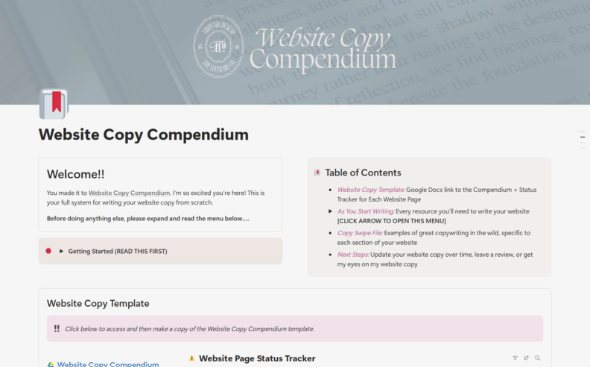
Here’s What You Get:
A SIMPLE SYSTEM FOR drafting, WRITING, AND HITTING PUBLISH ON YOUR WEBSITE COPY
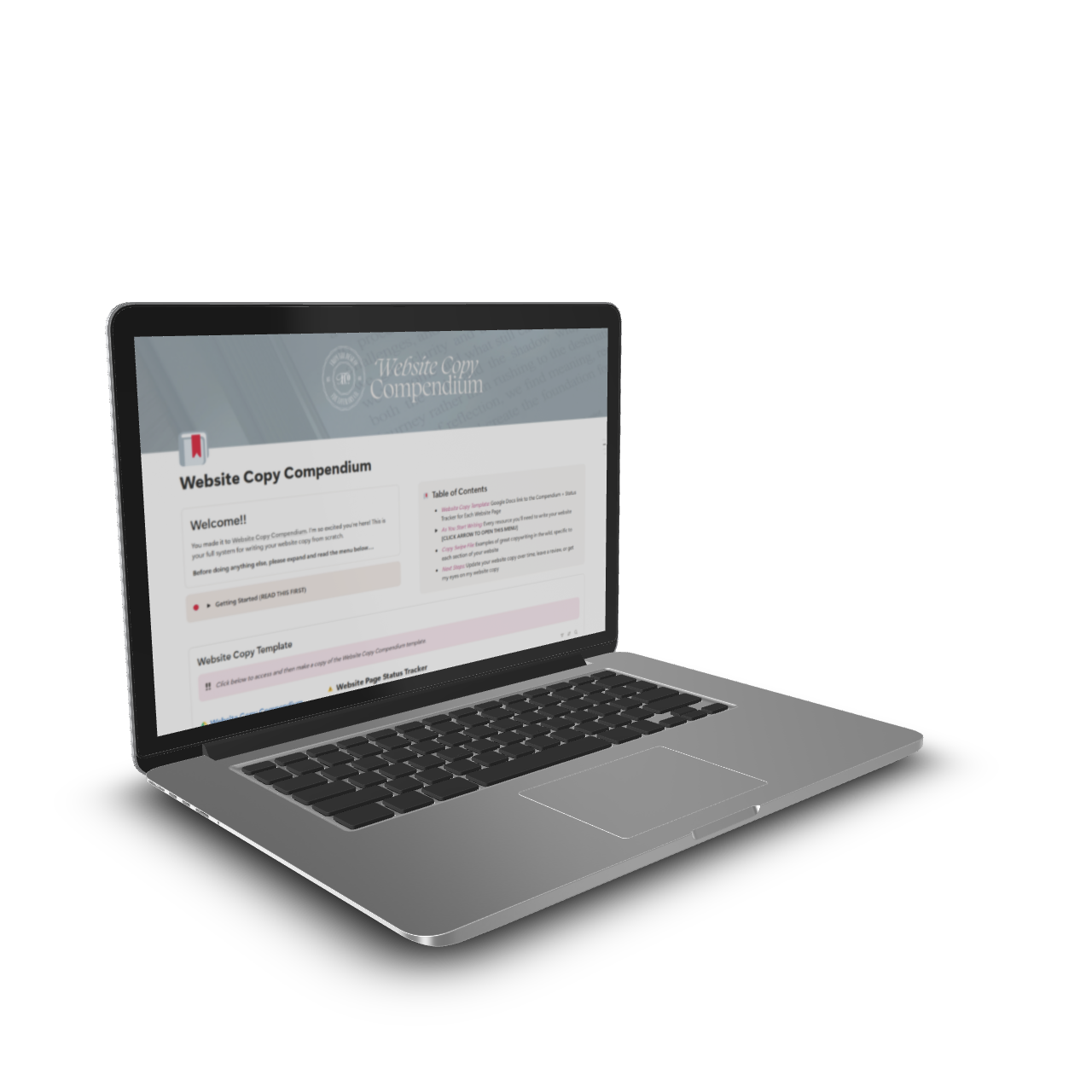
Your home base for writing your website copy, conveniently housed in a Notion dashboard, with accompanying copy template in an editable Google Docs format.
Step 01: Plan Your Website Pages
With the help of my super-simple page planner, you’ll get a personalized recommendation for which pages you’ll need on your website (and which ones you can do without). If you’re stuck asking yourself how many services pages you need, wonder no more!
Step 02: Structure Your Offers
Writing good services pages starts with good messaging. I ask you the thought-provoking questions that produce conversion-ready messaging that pre-sells your offers before the discovery call.
Step 03:Curate Your Testimonials
Grab your best testimonials from forms, emails, and DMs and curate them into purposeful soundbites you can use on your website. I’ll show you exactly how to cull down a big, bulky testimonial for maximum impact on the page.
Step 04:Fill In Your Brand Voice Cheatsheet
With straightforward dropdowns and prompts, you’ll create the brand voice you use throughout your website. After you write, gut-check it with the cheatsheet and make changes that match your intended voice.
Step 05:Start Writing
With the support of the Google Docs copy template, headline guide, and swipe file, you’ll be on your way to writing conversion-driven website copy that shines on your new (or updated) website.
Inside the Compendium:
The website copywriting system that takes you from ‘what do I say on my website?’ to ‘here’s the exact words that will activate my dreamiest clients to fill out my contact form.’
In the Notion Dash…
Offer messaging GUIDE
The three biggest mistakes I see on services pages and how to easily sidestep them. Plus, the exact questions you need to answer about every offer, so your services pages unfold with less effort and higher quality, plus how to get the good stuff (aka voice of customer) from your people.
Page planning guide
The one question you need to answer to determine which pages you need on your website (without the overthinking spiral). This will take you less than 5 minutes.
Brand voice cheatsheet
In minutes, build the brand voice you’ll use on your website and throughout your marketing, with dropdowns that help you curate how you talk, what you do/don’t say, and which words align perfectly with your brand. Use it as a gut check as you write and edit, so you never go off base.
Headline writing guide
As you’re writing your website, create attention-grabber headlines using the 33+ headline formats to get you started, 7 headline-specific writing prompts to churn up the good ideas, and 4 filters to shape and polish what you wrote.
Testimonial curation
How to cut down a long, wordy testimonial and present focused praise that speaks directly to what your people are looking for, right from your past client’s mouth to their ears.
Copy swipe file
Real-world examples from my client projects that demonstrate the principles I teach (and practice!) as you write for every page and section of your website.
COPY EDITING GUIDE
The 4 editing passes you need for polished, conversion-driven copy, with editing filters and guiding questions to refine your copy before you add it to your website.
Along with these Bonuses
Frequently Asked Questions & Tips from a copywriter and messaging strategist with 7+ years of experience (Me. It’s me.)
11 Journaling Prompts that invite you to step away from the screen and find your big ideas
My unfiltered tips for Updating Your Website Copy Over Time, with guiding questions to keep every tweak purposeful, not fueled by comparison
A space inside Notion to store your notes and ideas as you write (without opening yet another tab)
In the Google Docs Template:
My director’s cut commentary
on every section and page of your website (like having me sit in the chair next to you while you write and share my suggestions for nailing your copy on the first go)
Structured copy
so you don’t have to guess a single headline or body paragraph (and exactly what to use that small text above headlines for)
Call to action button placement
and recommended destination page for every single one (this structure works for a reason)
Recommended placement for header tags
No more guessing, I’ll tell you exactly what to do!
108+ writing prompts
that help you explore your unique perspective, get out of your head, and put words on the page while staying focused on what needs to go where
Related products
Product For Sale

Product For Sale
Erika Kullberg – Mastering YouTube for the Busy Professional
Product For Sale