

Davey and Krista – How to Become a Website Designer
Original price was: $997.00.$33.00Current price is: $33.00.
| Delivery: | |
| Download Link: | 14 days after purchaseNeed it sooner? Add Immediate Download Access for +$9.90 in your cart. |
| Size: | 22.21 GB |
| Files: | View Files |
| Sale Page: | Link |
| Archive: | Link |
Product is NOT a part of the Membership
Sold separately
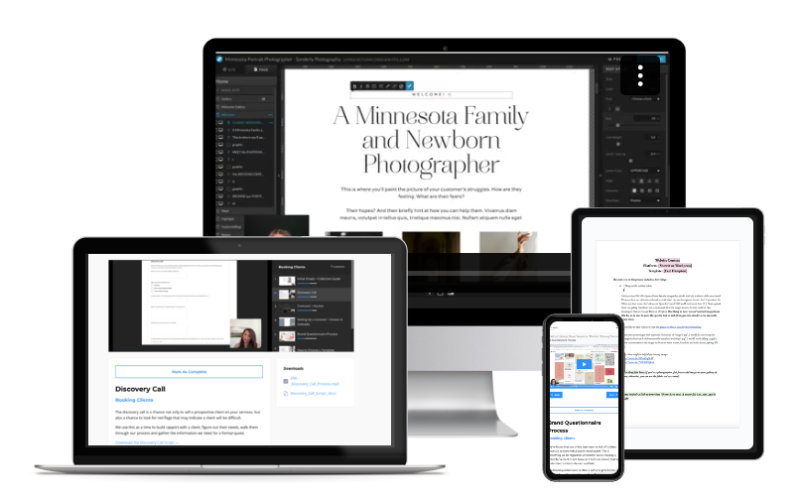
Here’s What You Get:
Modules 1 & 2
How to Get Your First Clients
First, let’s find you some clients. In these modules, I’ll teach you my process for finding and attracting the right clients, the ones who love your work, pay on time, and send glowing testimonials.
Once you find those amazing clients, you’ll learn how to run a smooth-as-butter onboarding process that sets the stage for a great collaboration.
After this section, you’ll be equipped to…
- Know where (and how) to find your first few design clients
- Determine your ideal client
- Build your own portfolio website and understand exactly what it should include
- Create content for your website to attract ideal clients
- Become a part of the Showit designer community (and understand why you should join!)
- Put together your digital collection guide to make it easy to share about your offerings
- Rock your client discovery calls and increase your booking rate (steal our exact script and systems!)
- Put together a contract that manages expectations and sets you up for success
- Create a mood board to determine a color palette for your clients
- Determine which template is best for your clients & customize it to meet their needs
Modules 3 & 4
Design Beautiful Websites
Once your client is on board, it’s time to design. I’ll teach you how to collect all the content and information you need to get the best results, including our strategy for building brands and websites that book.
Then we’ll dive into Showit. This is where you’ll learn how to design a site that looks and feels completely custom, drawing on real design principles, not guesswork.
After this section, you’ll be equipped to…
- Master the elements of typography that make text appealing and readable
- Pair fonts with intention (not just aesthetic)
- Build color palettes that feel custom and intentional
- Design with color accessibility so every site is usable
- Understand composition + visual flow
- Use grid systems + spacing rules like a pro
- Use white space to make every site feel premium
- Apply contemporary layout patterns
- Streamline the content collection process
- Guide your client to write the best content for their goals
- Manage project time and billing
- Set up Showit to design efficiently from the first project on
- Create a simple logo for clients without brands
- Load custom fonts in Showit
- Design all the major pages of a website
- Test and optimize a website for launch
Modules 5, 6, 7
Go Live & Support Your Clients
Get ready to hit that “publish” button, because you’ll be ready for launch as soon as this course section is complete. Now that the design is done, it’s time to test, launch, and turn each project into the next one.
In these lessons, I’ll show you exactly how I prepare and launch every Showit site. I’ll also walk you through my process for showcasing the site, pampering your clients, and asking for testimonials.
After this section, you’ll be equipped to…
- Run through our launch checklist to ensure every element is ready
- Run an audit of their existing site to help protect a client’s SEO ranking
- Create a beautiful set of launch graphics to drive traffic for both you and your client
- Send the perfect launch gift
- Edit a client’s DNS settings, request a blog content migration, and make the site live
- Gather a helpful testimonial from your client
- Promote the site in a way that drives future clients your way
- Teach your client how to use their new site in a way that cuts back on your support hours
Bonuses
Edisto Website Template
We’re giving you one license to a free DK Showit website template when you join the course. This includes everything you need to launch your own design business website, from the home to contact pages. It’s set up to be the perfect online home for your design business.
Showit Designer SEO 101
We take complicated subjects like content creation, keyword research, and SEO, and break them down in easy, bite-sized pieces you can understand. And best of all, we give you a strategy you can implement in your business as well as your client sites.
Lead Magnet PDF Template
This Canva template includes customizable layouts that blend compelling visuals and strategic content placeholders. Make your brand stand out and your marketing message resonate.
Canva Client Launch Graphics
Customizable Canva templates that make sharing about your client projects effortless on social. We use these for ourselves and for our clients on every launch.
Designer Collection Guide
We’ve taken our best-selling pricing guide and created a version just for designers. Say goodbye to being ghosted by clients and hello to more work booked at higher rates.
Content Collection Google Doc Template
The Google doc template we use to organize, guide, and collect content for each client project. 34 value-packed pages with visual examples.
Image Strategy with Élevae
Knowing how to curate images, use stock videos, and boost your sales with styled imagery will give you a leg up in the design competition. So we invited our friends at Élevae Visuals to share their insight on visual storytelling.
Sticky Situations Email Templates
A collection of 10+ templates our team uses when sticky situations arise throughout the design process. Scope creep? No problem, let’s get it back on track. Too many “can we hop on a call” requests? We’ve got an answer for that. These templates will save you hours and preserve your sanity.
Q&A Calls & Community
Live monthly Zoom calls with Krista. Bring your real client questions, your pricing dilemmas, your “is this normal?” moments. Get unstuck in real time, with the person who built this business.
Three Value-Packed Sections
Section 1: Find & Book Your First Clients
After this section, you’ll know your ideal client, how to attract them, and how to get them to click “contact” when they land on YOUR website. I’ll also teach you everything you need to know to rock your discovery calls, increase your booking rate (no more ghosting), and set your project up for success with an air-tight contract, direction-setting mood board, and more.
Section 2: Design Beautiful Websites on Showit
On to the really fun part: designing your client’s site. The first section will help you choose the right starting point. Now you’ll learn how to gather content, choose images, and design every key page. I’ll also teach you the elements of typography and how to create a simple logo, so you can design a beautiful website even for clients without a full brand suite.
Section 3: Go Live & Support Your Clients
Last step, launch it. This section will equip you with the tools and checklists to go live without a hitch. Now is also the perfect opportunity to promote your work and celebrate your client, so you can grow your portfolio with glowing testimonials to match. Really, it’s just the beginning. Your portfolio just got one website prettier.
Related products
Product For Sale


Product For Sale
Affiliate Marketing