


Rob Lennon – Personal OS + Dev Pack
Original price was: $474.00.$28.00Current price is: $28.00.
| Delivery: | |
| Download Link: | 14 days after purchaseNeed it sooner? Add Immediate Download Access for +$8.40 in your cart. |
| Size: | 23.83 GB |
| Files: | View Files |
| Sale Page: | Link |
| Archive: | Link |
Product is NOT a part of the Membership
Sold separately
Here’s What You Get:
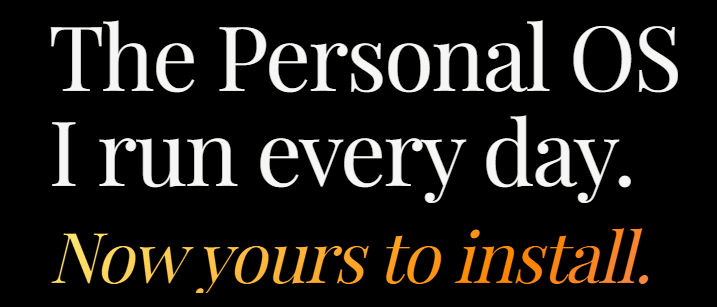
The workspace, skills, and setup I use to run my own work with AI. Install it in one session, then make it your own.
Personal OS is the install kit.
It’s not just a prompt pack or a folder of skills. It’s a workspace you install on your own computer, inside Claude Code or Codex, with the files, instructions, and setup that make everything work together.
Here’s what’s in the bundle.
1.The workspace template
The exact folder structure I use: inputs, knowledge, skills, and a tracker. My data is removed. The files are plain text, so you own them and can move them to another tool or model later.
2.Guided setup
When you open Personal OS for the first time, it asks a handful of questions about your work—what you do, who you serve, what you sound like, and what you’re working on. Then it fills in the starting files with those answers.
3.Two install paths — pick yours
Claude Code
Run it in the Claude app or the terminal. I use the app personally.
Codex (ChatGPT)
Run it in the ChatGPT app. Pick this path if ChatGPT is where you have the bigger subscription.
4.The walkthrough
A recording of me using Personal OS for a full pass through my own work: inbox, tracker, OS Tune, and a content draft. You can see how the pieces work together before setting up yours.
5.On-demand lessons
Short lessons covering installation, setup, your first useful output, making your first skill, and how harnesses and skills fit together. I’ll add more as I record them.
Who this is for.
You’ve bought one of my programs, or you’ve been reading my newsletter long enough to know I take this stuff seriously.
You use AI every day and have started building instructions, files, projects, or little systems around it.
You’ve moved past prompt packs. You’ve tried Claude Code, Codex, or OpenClaw and want something more organized than the setup you’ve assembled yourself.
You’ve said—out loud or in your head—“I’m pretty good with AI, but I bet this is capable of way more than what I’m doing with it.”
If that’s you, then I made this for you.
What you’ll have after setup.
A clean workspace for your projects, tasks, notes, and the skills you use to work with them.
Named skills you can actually remember: Tracker, Library, Capture, Email, and Daily Assist.
Skillify and OS Tune, so you can make new skills and improve the ones you already have.
A setup that knows your voice, projects, habits, and the way you work.
A system you can keep changing as your work changes.
Get it working. Make it yours. Build your own.
Three live workshops to get Personal OS working on your real work, teach it your voice, and build a system of your own, plus bonus Office Hours recordings. The original series ran on Thursdays, 1–2:30 PM Pacific.
Workshop 1
Get Personal OS Working for You
Thursday, August 6 · 1–2:30 PM Pacific
Install it, set it up around your actual work, and use it to finish something useful during the session.
You’ll leave with: A working Personal OS you have already used, corrected, and started making your own.
Workshop 2
Teach Personal OS to Write Like You
Thursday, August 13 · 1–2:30 PM Pacific
Build your voiceprint, test it against real writing, and improve the system until the output sounds recognizably like you.
You’ll leave with: A finished voiceprint and a repeatable writing or editing process tuned to your style.
Workshop 3
Turn Your Work Into an AI System
Thursday, August 20 · 1–2:30 PM Pacific
Take one valuable thing you do repeatedly and build a reusable skill or small system for it inside Personal OS.
You’ll leave with: One working system for your own work, tested in Claude Code or Codex.
Bonus workshop
Golden Nuggets for AI Users
Thursday, August 27 · 1–2:30 PM Pacific
A three-hour Office Hours deep dive into orchestrating AI work, managing context, placing human checkpoints, building durable skills, and keeping multiple machines in sync.
You’ll leave with: A practical set of operating moves for getting more capable work from the AI tools and systems you already use.
Bonus workshop
Build an AI Business You Want to Run
Thursday, September 3 · 1–2:30 PM Pacific
A bonus Office Hours session on choosing a business, finding buyers, getting useful feedback, and using AI across the whole workflow.
You’ll leave with: A clearer business idea, a practical way to test demand, and one complete workflow to try before building a bigger system.
Buy and you’ll get the Zoom room and calendar invites in your portal. Can’t make one live? Each session is recorded.
Related products
Consulting


Product For Sale