



Arnulfur Hakonarson – The Lightroom Masterclass
Original price was: $ 297.0.$ 23.0Current price is: $ 23.0.
| Delivery: | |
| Size: | 4.61 GB |
| Files: | View Files |
| Sale Page: | Link |
| Archive: | Link |
Product is NOT a part of the Membership
Sold separately
Here’s What You Get:
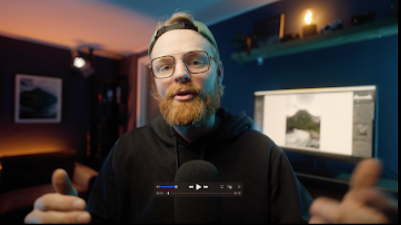
I’ve been obsessed with editing for over 10 years.
In that time, I’ve worked with brands like Sony, Sigma, DJI, and NiSi – but more importantly, I’ve built a workflow that’s simple, repeatable, and actually fun to use.
That’s what this Lightroom Masterclass is all about: taking a decade of trial and error and turning it into a step-by-step process you can follow.
You’ll Learn How To:
- Master tone curves, masks, and grading tools like a pro
- Use color theory with purpose to create your own consistent style
- Organize and streamline your photo library so editing feels effortless
- Build a workflow that’s fast, flexible, and fits your photography
- Unlock advanced techniques and my favorite secret tricks
Why I Built The Lightroom Masterclass:
When I first started editing, I was completely lost in Lightroom. I’d spend hours sliding things around, hoping something would look good – and most of the time, it didn’t.
Over the years, I figured out a workflow that finally made sense, and it completely changed how I shoot and edit.
I built this Masterclass because I don’t want other photographers to waste years like I did.
I want you to have a system that actually works – so you can be proud of your photos every time you open Lightroom.
What’s inside this course
A clear, proven system that takes you from messy imports to epic edits – step by step.
Module 1-2: Set Up & Organize Like a Pro
Get Lightroom running smoothly with a clean, organized library.
Module 3: Core Editing Tools
Master the essentials – tone curves, color grading, and masks.
Module 4: Advanced Techniques
Learn pro-level tools for cinematic looks and polished edits.
Module 5: Creative Editing Tricks
Add depth, shape light, and make your photos truly pop.
Module 6: Color Theory for Photographers
Use color with purpose and build your own consistent style.
Module 7: Full Edit Walkthroughs
Watch complete edits from start to finish and apply what you’ve learned.
Related products




Affiliate Marketing


Product For Sale

Product For Sale